최근 구글에서 선보인 A2UI 샘플을 사용해 보았다.
아래 페이지의 가이드대로 하면 되는데, 실제로는 한글 인코딩 등 추가해야 할 작업들이 있다.
내 환경은 windows 11 이다.
https://a2ui.org/quickstart/#step-4-install-and-run
Quickstart - A2UI
Quickstart: Run A2UI in 5 Minutes Get hands-on with A2UI by running the restaurant finder demo. This guide will have you experiencing agent-generated UI in less than 5 minutes. What You'll Build By the end of this quickstart, you'll have: ✅ A running web
a2ui.org
1단계: 저장소 복제
git clone https://github.com/google/a2ui.git
cd a2ui
이 단계는 특이사항이 없다.
2단계: API 키 설정
Gemini API 키를 환경 변수로 내보내세요:
export GEMINI_API_KEY="your_gemini_api_key_here"
GEMINI API KEY를 받아서 환경변수로 넣어 줘야 한다.
키는 google ai studio 에서 생성하면 되며 무료이다.
윈도우에서는 환경변수 설정을 다음과 같이 하면 된다.
# cmd
set GEMINI_API_KEY=your_gemini_api_key_here

# PowerSehll
$env:GEMINI_API_KEY=your_gemini_api_key_here
3단계: Lit 클라이언트로 이동합니다.
cd samples/client/lit
4단계: 설치 및 실행
한 번의 명령으로 데모 실행기를 실행하세요:
npm install
npm run demo:all
그러나 처음 실행하니 나의 경우는 아래와 같은 문제가 있었다.
1. 터미널 인코딩 문제
먼저 실행시 터미널 창에서 에러가 나는데 한글이 깨져 나와 어떤 에러인지 알 수 없었다.
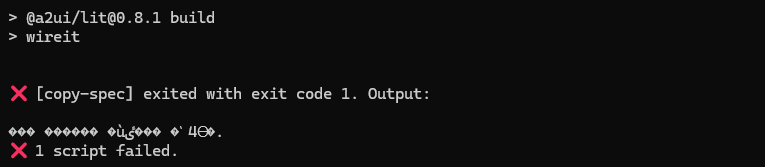
그래서 터미널의 인코딩을 설정해 준다.
# cmd
chcp 65001

# PowerSell
chcp 65001
$env:PYTHONIOENCODING="utf-8"
그리고 나서 에러를 보면, syntax 에러인 것을 알 수 있다.

2. 윈도우 문법 에러
\a2ui\renderers\lit\package.json 파일의 문법 중 윈도우에서 맞지 않는 부분을 수정해 준다.
..
  },
  "wireit": {
    "copy-spec": {
      "command": "mkdir -p src/0.8/schemas && cp ../../specification/0.8/json/*.json src/0.8/schemas",
      "files": [
...
위 코드 중 cp 가 있는데 윈도우에서는 아래처럼 수정해 준다. cp 부분만 copy로 바꿔도 된다.
command": "powershell -Command \"New-Item -ItemType Directory -Force -Path src/0.8/schemas\" ; copy ../../specification/0.8/json/*.json src/0.8/schemas",
그리고 다시 빌드 및 실행을 하면 또 에러가 나는데, 이번에는 uv 가 없다는 것이었다.
3. uv 미설치 문제
...
[CONT1] > cd ../../agent/adk/contact_lookup && uv run .
[CONT1]
[REST] 'uv' is not recognized as an internal or external command,
[REST] operable program or batch file.
[CONT1] 'uv' is not recognized as an internal or external command,
...
그래서 uv를 설치해 준다.
# 1) uv 설치
powershell -ExecutionPolicy Bypass -Command "irm https://astral.sh/uv/install.ps1 | iex"

# 2) 설치가 PATH에 반영되도록 새 터미널을 열거나, 이걸 한 번 실행
$env:PATH += ';' + $env:USERPROFILE + '\.local\bin'

# 버전이 출력되면 성공
uv --version
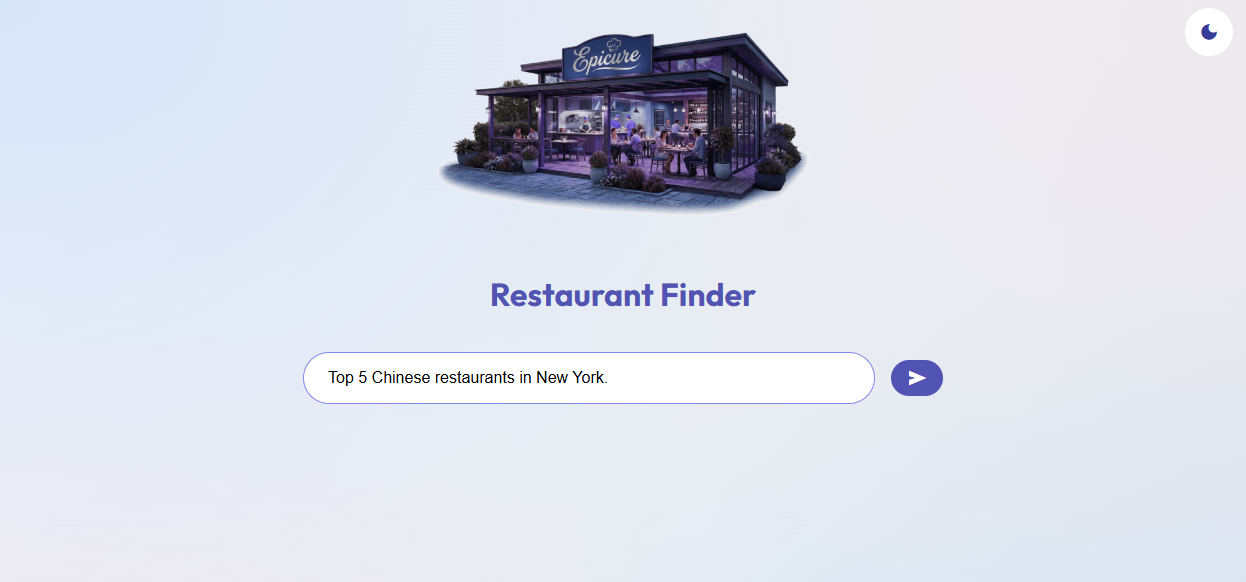
다시 실행하면 레스토랑 파인더 화면이 뜬다. http://localhost:5173
그런데 에이전트에 질문을 하면 뭔가 돌아가다가 반응이 없는데, 터미널 창을 보면 에러가 보인다.
4. 한글 인코딩 문제
...
[REST] File "C:\Workspace\a2ui\samples\agent\adk\restaurant_finder\tools.py", line 38, in get_restaurants
[REST] restaurant_data_str = f.read()
[REST] UnicodeDecodeError: 'cp949' codec can't decode byte 0xe2 in position 202: illegal multibyte sequence
[REST] ERROR:a2a.server.apps.jsonrpc.jsonrpc_app:Unhandled exception
...
C:\Workspace\a2ui\samples\agent\adk\restaurant_finder\tools.py 를 열어 line 38 근처를 수정해 준다.
# 기존
with open(file_path)  as f:

# 수정
with open(file_path, encoding="utf-8")  as f:
정상적인 실행을 위해 서버 데몬을 재시작해 준다.
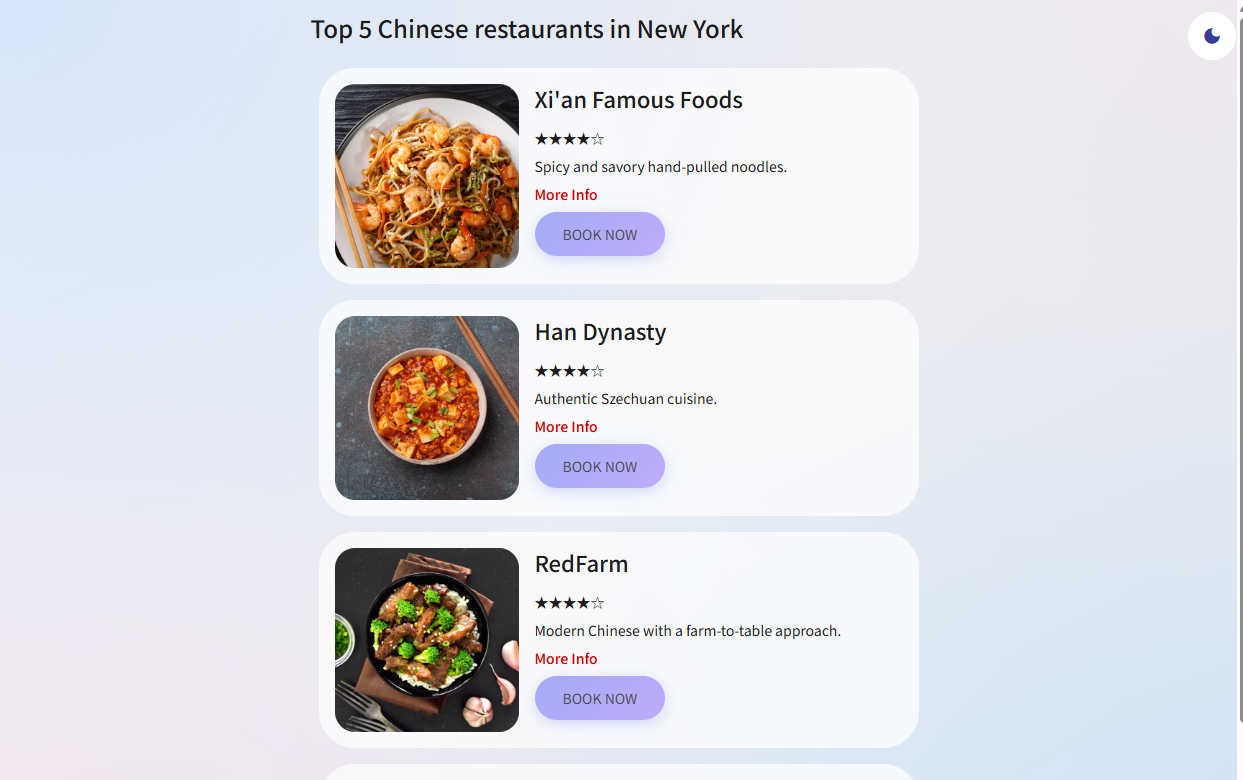
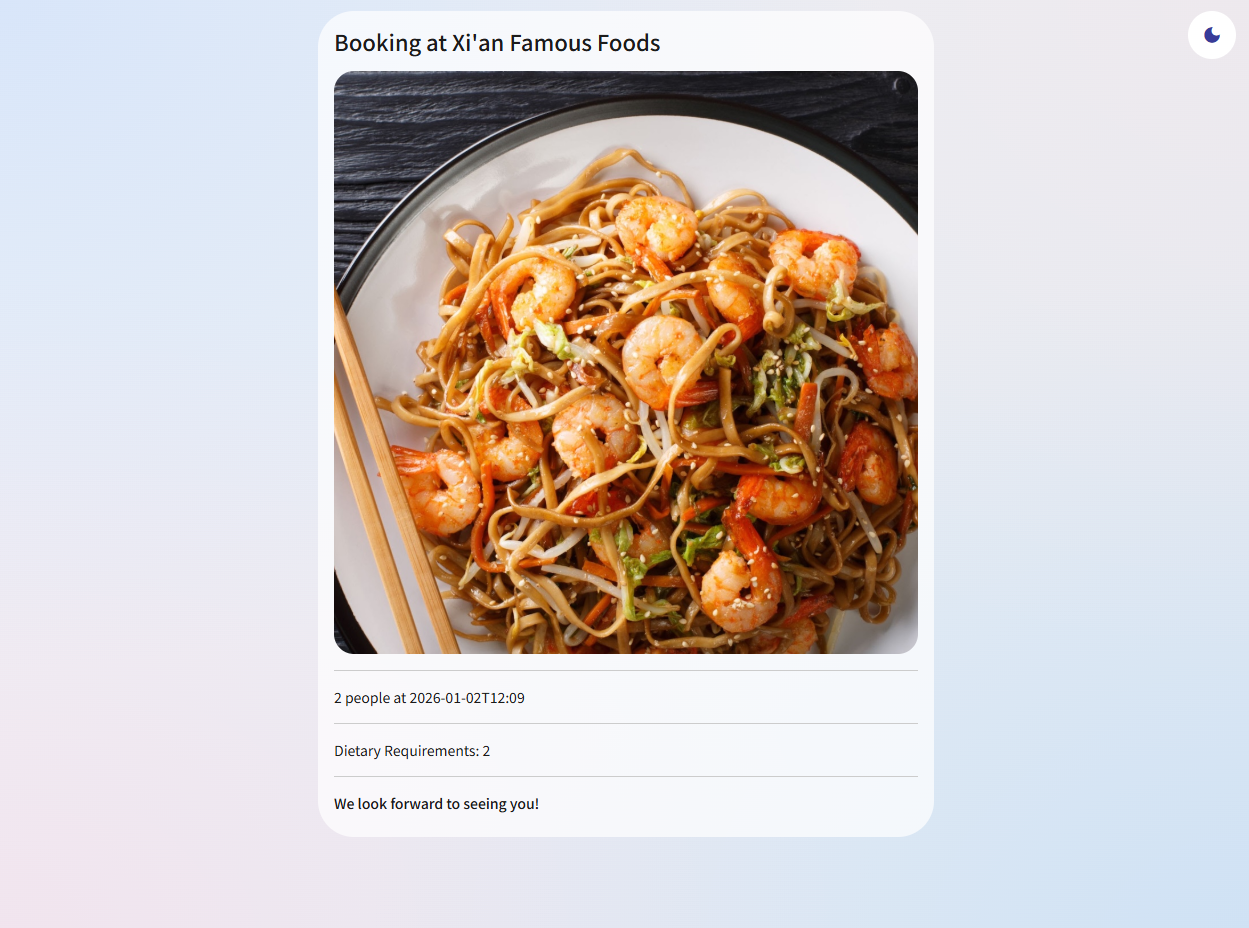
모든 것이 정상이라면 아래와 같은 화면으로 진행이 될 것이다.
'AI' 카테고리의 다른 글
| 2025년 AI 코딩의 5가지 진실 - 장밋빛 미래 너머의 현실 (1) | 2026.01.04 |
|---|---|
| Google vs ChatGPT 의 검색 승자는? LLM이 검색엔진에 미치는 영향 (0) | 2026.01.03 |
| 14만 건의 AI 대화를 분석했더니… 챗GPT를 이긴 의외의 챔피언 (0) | 2025.12.31 |
| Wired는 알리바바의 Qwen이 2026년 AI를 지배할 것이라고 말한다 (1) | 2025.12.28 |
| 알리바바, VSCode 플러그인과 함께 Qwen Code v0.5.0 출시 (1) | 2025.12.27 |